
Written by Brad Ungar | Founder, VERIFIED Crypto Checkout
Brad Ungar builds payment infrastructure for WooCommerce merchants who need card-to-crypto checkout, hosted provider routing, payment links, and subscription flows that settle directly to a merchant wallet.
Product review: VERIFIED Crypto Checkout engineering
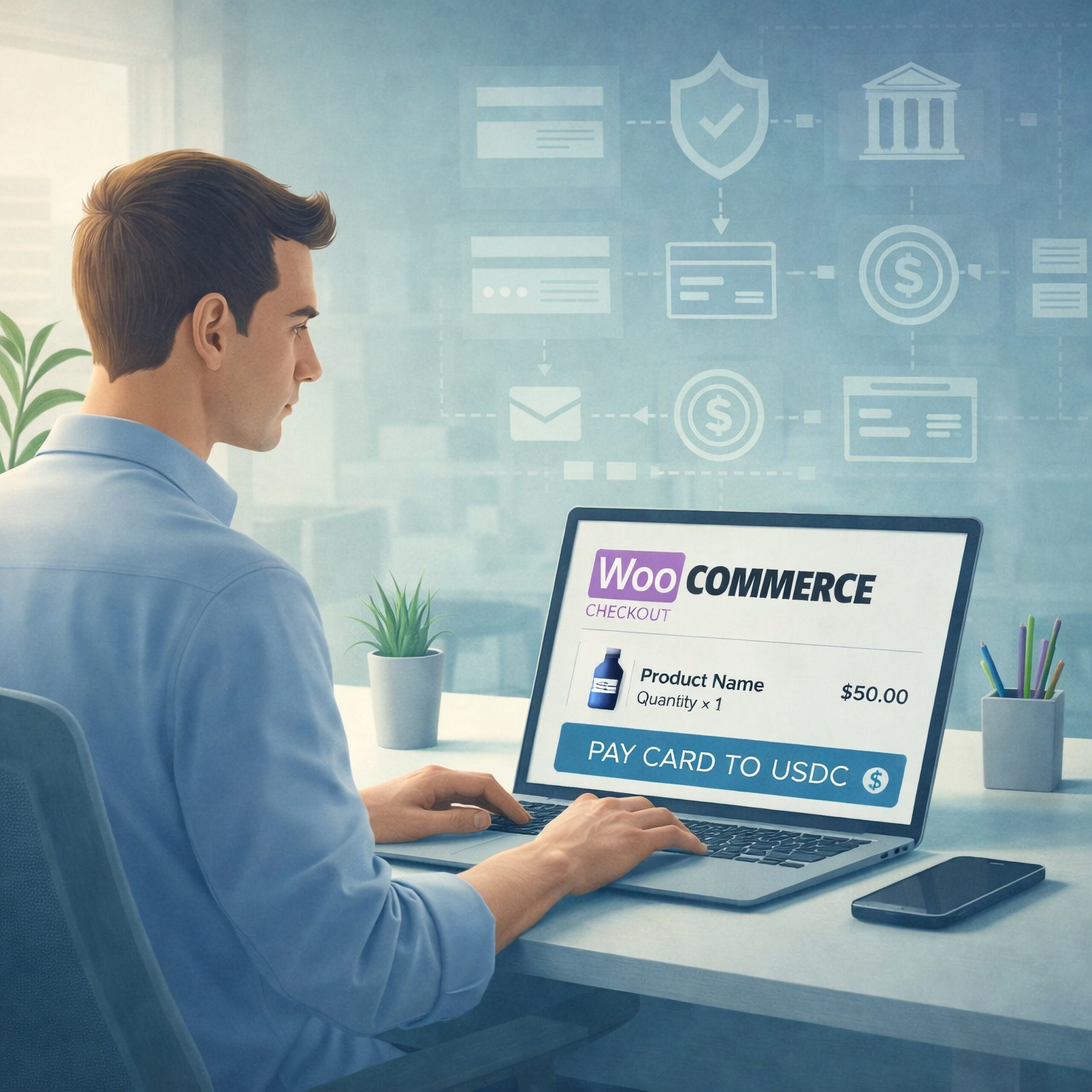
Crypto checkout is a WooCommerce payment flow that sends your customer to a hosted provider, where they may pay by card, Apple Pay, or Google Pay for a crypto-denominated outcome sent to your wallet. It can be useful if you need a different settlement design, but it does not work like opening a conventional card account. This guide shows you who does what, what your customer sees, and what to set up before you go live. Last Updated: September 2026
Key Highlights
- Crypto checkout routes a WooCommerce order to an independent hosted provider payment flow.
- VERIFIED provides routing and WooCommerce infrastructure; providers handle KYC, card processing, conversion, and settlement.
- Customers may use cards, Apple Pay, or Google Pay where a provider makes those methods available.
- First use with a provider may require government ID and a liveness check.
- Current plugin documentation specifies USDC settlement on Polygon to your merchant wallet.
- VERIFIED charges a 4% infrastructure fee, separate from provider conversion fees.
- VERIFIED does not handle card data, hold funds, or custody crypto.
Direct Answer: What Is Crypto Checkout?
Crypto checkout is a hosted payment flow that routes a WooCommerce order to an independent provider that may take a customer’s card, Apple Pay, or Google Pay payment, convert it into crypto, and send settlement directly to your configured wallet. VERIFIED Crypto Checkout is the software and routing layer around that flow. It does not process the card, perform identity checks, convert funds, or hold them for you.
People also use “crypto checkout” to mean a shopper sends crypto from their own wallet straight to a merchant wallet. That is a different payment concept. This guide covers the hosted card-to-crypto model, where a customer begins with a traditional payment method and a hosted provider handles the payment and conversion step.
With a standard card setup, you usually apply for a merchant account and receive a MID, or merchant identification number, tied to an acquiring relationship. An acquirer is the institution in the card-payment chain that accepts card transactions for merchants. Its underwriting process is the review of your business, products, operating history, and risk before and during acceptance.
Hosted card-to-crypto checkout uses a different arrangement. Your store creates the order. VERIFIED sends the customer to one independent hosted provider through either a selected-provider setup or an available auto-routing mode. The provider owns the sensitive payment and compliance stage. You configure the wallet that will receive settlement.
VERIFIED handles checkout routing and order-state infrastructure; the provider performs the payment and conversion work.
How a Hosted Card-to-Crypto Checkout Works

The easiest way to assess the model is to follow one order from the payment button to the wallet receipt.
- Your customer chooses the crypto checkout payment option. They begin from a normal WooCommerce order page. Your store still owns the cart, order total, customer details, and order record.
- VERIFIED creates the hosted path and routes the customer. The customer leaves your site for an independent provider’s hosted page. In auto-routing mode, VERIFIED can route across 20+ independent hosted crypto on-ramp providers. An on-ramp provider is a service that helps a customer use a traditional payment method to acquire crypto.
- The provider collects payment information. The customer enters card details on the provider page or uses Apple Pay or Google Pay where offered. VERIFIED does not receive or store the customer’s card data.
- The provider may ask for KYC. KYC means Know Your Customer: identity checks a financial-service provider uses to verify who is transacting. On first use with a provider, the customer may be asked for government-issued ID and a liveness check, which is a check intended to confirm that a real person is present. Returning use with that same provider is usually faster, though the provider controls its own review process.
- The provider processes the payment and conversion. If the provider can complete the transaction, it processes the customer’s payment and converts it into the crypto outcome for the checkout.
- Settlement goes to your wallet. Settlement means delivery of the completed payment amount to its destination. Here, the provider sends settlement directly to the merchant wallet you configured. A wallet is the address and access arrangement you control for receiving crypto; it is not a bank account.
- Your WooCommerce order is updated. A webhook is an automated message sent from one system to another after an event. It updates payment state in your store. VERIFIED also implements on-chain checks for missed webhooks, allowing a check of the blockchain-based payment record when a webhook is missed.
The redirect is deliberate. It keeps card entry and provider compliance work outside your WooCommerce environment. The tradeoff is real: some customers will leave your storefront, complete an unfamiliar flow, and possibly complete identity checks before payment can finish.
Hypothetical order: what you and your customer see
Suppose a customer places a hypothetical $120 WooCommerce order. They choose hosted crypto checkout and move to a provider page. The provider page may offer a card or supported wallet payment method and, for a first-time user, request a government-issued photo ID plus a liveness prompt.
Your WooCommerce order remains pending while that hosted flow is underway. When payment is reported and verified, the order can move to the appropriate paid state and settlement is sent to your configured wallet. The order total and the amount received in your wallet are not automatically the same number.
Who Is Responsible for Each Part?
This division of responsibilities is worth getting clear before you configure anything. It tells you where to look when a customer has a payment question, a finance question, or a wallet issue.
| Part of the flow | Who handles it | What you need to manage |
|---|---|---|
| Cart, products, taxes, and order creation | Your WooCommerce store | Accurate products, prices, tax settings, and fulfilment rules |
| Checkout routing and WooCommerce payment-state infrastructure | VERIFIED Crypto Checkout | Plugin configuration, routing choice, and testing |
| Identity checks, card processing, and conversion | Independent hosted provider | Clear customer expectations and the right provider support path |
| Crypto settlement | Independent hosted provider sends it directly to your wallet | Correct wallet address, network, access controls, and reconciliation |
VERIFIED is payment infrastructure software. It is not a payment processor, bank, money transmitter, exchange, acquirer, or custodian. It does not custody your funds or private keys. The provider performs the card-processing and conversion functions, while your wallet is the settlement destination.
That makes wallet configuration an operating control, not a minor setup field. Confirm the address and network before you accept live orders. Limit who can change the configuration. Keep a record that allows your finance team to match WooCommerce order IDs, provider records, and wallet receipts.
For a closer look at the off-site handoff, read how hosted checkout works. If settlement design is your immediate concern, the WooCommerce USDC payment gateway guide is the more specific next step.
USDC Settlement and the Wallet Setup You Need
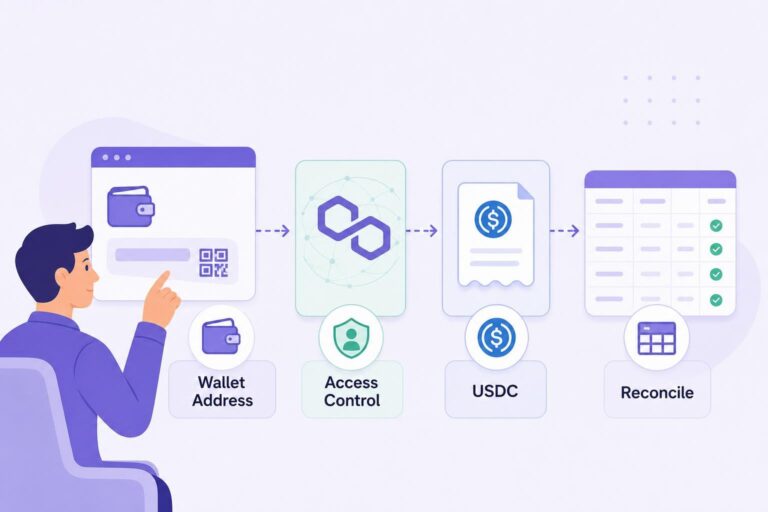
USDC is a digital token designed to track the value of the U.S. dollar. Current VERIFIED plugin documentation specifies settlement in USDC on Polygon. Polygon is the blockchain network used for that documented settlement configuration.
Before launch, record the receiving wallet address, the network it is set up to receive on, who controls access, and how you will reconcile incoming receipts. A copied address that is wrong or a network mismatch can create an operational problem that ordinary bank settlement does not have.
If you see another payout asset referenced on a live page, confirm it with support before relying on it for your payment design. This guide describes the documented USDC-on-Polygon configuration rather than assuming that another asset is available for your flow.
In card-to-crypto checkout, the wallet destination is part of your payment operation.
For general background on the asset, see Circle’s official USDC overview. That resource does not describe VERIFIED product terms or a provider’s availability, fees, or settlement timing.
Where Friction and Costs Enter the Checkout
A hosted crypto checkout can solve a practical payment-design problem, but it is not invisible to your buyer. Plan for the points where a customer may pause, and decide what your team will say before the first support ticket arrives.
First-use identity checks
A first-time provider user may need to complete KYC and liveness verification. Some customers will complete it, while others will stop. Do not describe the option as no-ID checkout. Near the payment option, explain plainly that the customer continues to an independent hosted provider and may be asked to verify identity.
Provider availability and payment outcomes
A customer’s country, payment method, issuing bank, provider rules, and transaction review can affect whether a hosted flow is available or completed. A routing choice and a checkout button do not guarantee approval. Settlement timing is also not guaranteed; plan fulfilment and customer communications around confirmed payment status rather than an assumed schedule.
Hosted redirect behavior
After leaving the store, a customer may not return through the browser success page. Build your order process around payment-state updates and customer communications, not only a browser redirect. Review the WooCommerce payment confirmation flow with the people who handle fulfilment and support.
Fees are separate
VERIFIED charges a 4% infrastructure fee. Independent providers charge their own conversion fees, separate from that infrastructure fee. A spread is the difference between a reference market price and the price available for a particular conversion. Review the whole transaction economics rather than expecting one blended number to explain every provider transaction.
You can configure whether to absorb the 4% infrastructure fee or pass it through to the customer. That is a commercial choice you should make before launch and explain consistently in your pricing and customer copy.
Hypothetical fee arithmetic on a $120 order
If you absorb the infrastructure fee on a hypothetical $120 order, 4% equals $4.80. Before the provider’s separate conversion fee, the amount left after that infrastructure fee is $115.20. The provider-set conversion fee is not a fixed VERIFIED amount and is not quantified here, so the wallet receipt would be below $120 after both charges.
If you configure the infrastructure fee to pass through, the customer-facing amount should be reviewed in your live checkout configuration. The provider conversion fee remains separate either way.
For the product fee explanation, read the VERIFIED fee transparency guide. Provider pricing, availability, and transaction outcomes remain independent-provider matters.
When Crypto Checkout Fits Your Store
This model can fit a WooCommerce store that wants a hosted card-to-crypto path and understands the customer journey. It can also be relevant if you need the documented USDC settlement configuration or operate in a category where conventional underwriting has been difficult.
High-risk is a card-industry label for business types or operating patterns an acquirer may view as carrying higher loss, dispute, or compliance exposure. It is not a statement about your character or product quality. If conventional card acceptance has become unstable, first understand why. A closure, denial, or request for more documents may point to a fixable underwriting issue rather than a permanent need to change payment architecture. The guide to payment options after a merchant account denial can help you assess that decision.
Crypto checkout may be a poor fit if your buyers need the shortest possible card checkout, cannot reasonably complete a hosted identity process, or expect automatic card-on-file renewal payments. VERIFIED subscription renewals are customer-initiated from reminder-email links; there is no stored-card automatic rebilling. If recurring orders are central to your business, read the subscription payments guide before designing your purchase flow around them.
The useful question is whether your customers and operations can support this hosted flow, not whether it replaces every card payment method.
WooCommerce and Headless Implementation Paths
For a standard WooCommerce store, the practical starting point is the VERIFIED plugin. Version 1.56.1 supports both Classic checkout and Blocks checkout. You configure the payment option, routing approach, wallet destination, and order handling, then test the complete customer path before launch.
If your storefront is headless, meaning the customer-facing site is separated from the WooCommerce backend, your team needs to plan the hosted redirect and payment-state handling rather than copy a plugin setting into a custom front end. Start with the headless WooCommerce integration guide and the documentation hub. Your developer should map what creates the order, what starts the hosted session, and what event marks an order as paid.
VERIFIED also implements standalone payment links, invoices, and order payment requests. These options can help where an order is created before payment is requested. They do not change the basic division of responsibilities: the provider handles payment and conversion, and settlement is sent to your wallet.
Launch checklist for your team
- Confirm the USDC-on-Polygon wallet address and who controls it.
- Place a test order in the configuration you plan to use.
- Check how WooCommerce moves an order from pending to paid.
- Decide what your support team will say about redirects and possible KYC.
- Record how finance will match an order to the wallet settlement record.
- Read the product risk information before making the option live.
Ready to test the flow on a WooCommerce store? Install the VERIFIED plugin, configure the wallet and routing choices, and run a controlled order through the same customer journey you plan to offer.
Make the Next Decision From Your Actual Setup
If you run WooCommerce, start with the plugin and a controlled test of the hosted journey. If you are building a custom storefront, have your technical team review the headless flow before they design payment-state handling. If settlement is the main question, review the documented USDC configuration and wallet process first.
Do not launch with vague customer copy. Say that the customer will continue to an independent hosted provider and that identity verification may be required. That one sentence gives the customer context before they leave your site and can reduce avoidable confusion.
Set expectations before the redirect, then let confirmed payment status—not a browser return—drive your order process.
Set up a hosted crypto checkout path for WooCommerce
Install the plugin, configure your merchant wallet and routing preference, then test the provider handoff and order confirmation before offering it to customers. Technical teams can use the documentation hub to plan a custom storefront flow.
About VERIFIED Crypto Checkout
VERIFIED Crypto Checkout is payment infrastructure software for WooCommerce and related checkout workflows. It provides routing, hosted-provider orchestration, payment-state tooling, and settlement verification support. It is not a payment processor, bank, money transmitter, exchange, acquirer, or custodian, and it does not handle card data or custody merchant funds.
Independent hosted providers perform KYC, card processing, conversion, and settlement directly to the merchant wallet. Learn more about VERIFIED Crypto Checkout, read what VERIFIED Crypto Checkout is, or contact the team with a setup question.
Further Reading
Frequently Asked Questions
What is crypto checkout for WooCommerce?
Crypto checkout for WooCommerce is a flow that starts with a WooCommerce order and sends the customer to an independent hosted provider. The provider may accept a card, Apple Pay, or Google Pay, perform any required checks, convert the payment, and send settlement directly to the merchant wallet.
May KYC be required for crypto checkout?
Yes. First use with a provider may require KYC, meaning identity verification, including government ID and a liveness check. Returning use with the same provider is usually faster, but requirements remain the provider’s decision.
Is VERIFIED Crypto Checkout a payment processor or custodian?
No. VERIFIED Crypto Checkout is payment infrastructure software that provides routing and WooCommerce checkout orchestration. Independent hosted providers perform KYC, card processing, conversion, and settlement. VERIFIED does not custody funds or private keys.
Does VERIFIED handle customer card data?
No. Customers enter payment information on the independent provider’s hosted checkout page. VERIFIED does not handle card data.
How are crypto checkout fees separated?
VERIFIED charges a 4% infrastructure fee. You can configure whether to absorb that fee or pass it through to the customer. Independent hosted providers charge separate conversion fees, so both parts should be reviewed for each transaction.
What settlement asset and network does the plugin documentation specify?
Current plugin documentation specifies USDC settlement on Polygon directly to the merchant wallet. If you see another payout asset mentioned on a live page, confirm it with support before relying on it for your payment design.
Can customers pay automatically for subscription renewals with a stored card?
No. Subscription renewals are customer-initiated from reminder-email links. VERIFIED does not provide stored-card automatic rebilling for these renewals.
About the Author: Brad Ungar
