
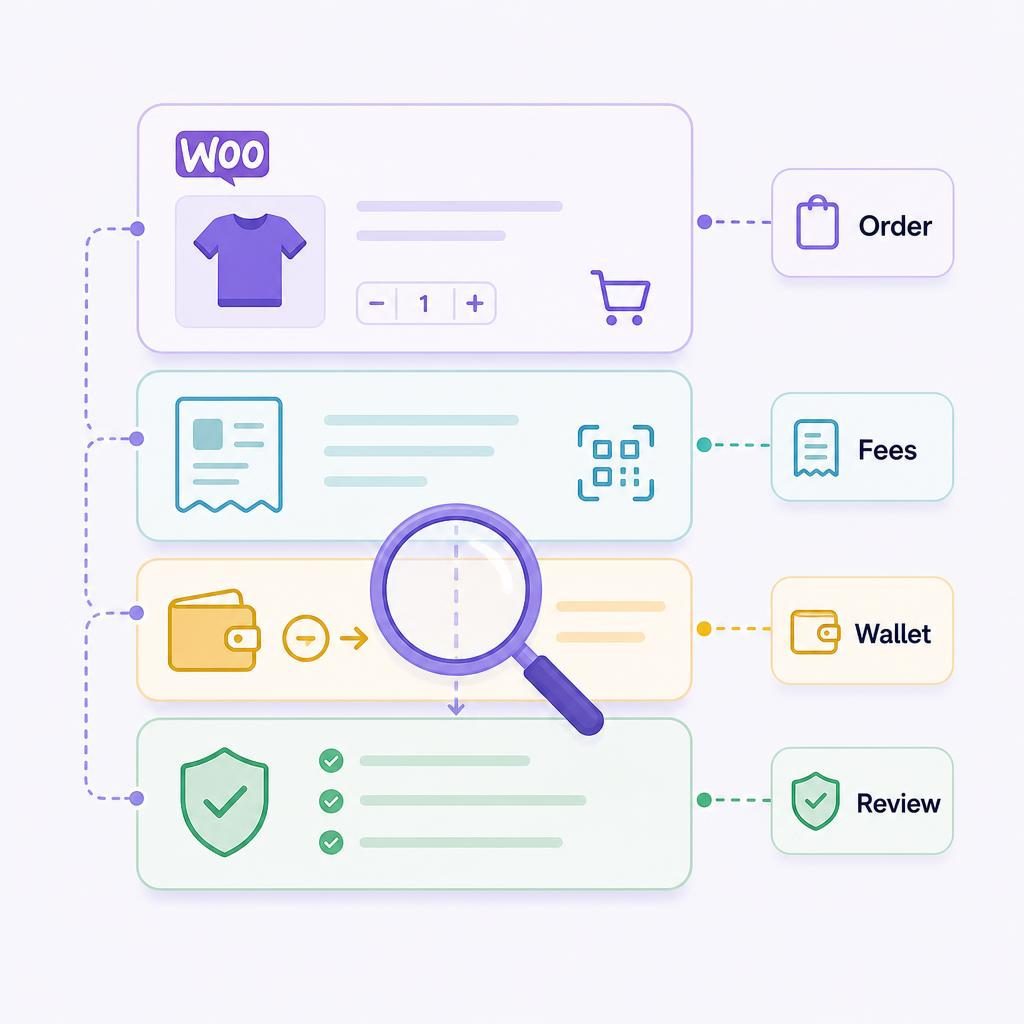
If a WooCommerce order says paid but the wallet receipt does not resemble the checkout total, you need a clean record before it becomes a support or bookkeeping problem. This WooCommerce order reconciliation guide shows you how to connect the order, checkout evidence, fee layers, and wallet transfer without turning the worksheet into accounting advice.
My recommendation is simple: treat the order, the checkout result, and the wallet transfer as connected records rather than forcing them into one number. The main tradeoff is a few extra minutes of review now against much less guesswork when a customer, colleague, or accountant asks what happened later.
How does WooCommerce order reconciliation work?
Match each completed order to its checkout evidence, disclosed fees, and confirmed wallet settlement before you close the record.
Start with the WooCommerce order number and gross value. Then retain the payment-session result, fee information disclosed for that route, and the transfer reference you can confirm. A difference between the checkout total and the wallet amount is not automatically an error, but it needs either supporting evidence or an open review record.
Use one of three dispositions from the start:
- Matched: the order, completed payment evidence, and settlement reference identify the same transaction, with no unsupported difference.
- Matched with documented variance: the records connect and the difference has an evidenced explanation.
- Open—escalated: you cannot connect the order to settlement evidence, or the difference has no support yet.
Written by Brad Ungar | Founder, VERIFIED Crypto Checkout
Brad Ungar builds payment infrastructure for WooCommerce merchants who need card-to-crypto checkout, hosted provider routing, payment links, and subscription flows that settle directly to a merchant wallet.
Product review: VERIFIED Crypto Checkout engineering
Key Highlights
- Use the WooCommerce order number as the record’s main reference.
- Keep gross value, fee layers, and wallet receipt in separate fields.
- Capture order notes before changing an order state or amount.
- Record the asset and network you confirm, not a presumed default.
- Do not estimate a provider cost that was not disclosed.
- Set a written review threshold for small undocumented residuals.
- A transaction hash supports a transfer record; it does not explain every variance.
- Keep manual-payment evidence separate from on-chain settlement evidence.
Reconciliation Is an Operations Record, Not an Accounting Method
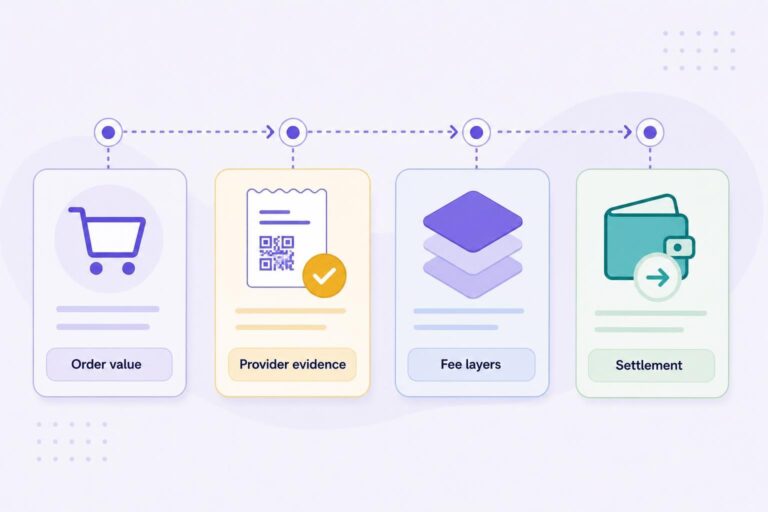
Payment records become confusing when one screen is expected to answer every question. WooCommerce shows what the customer ordered. A hosted provider’s result shows what happened in that checkout route. Your wallet and a transfer reference show what you can confirm reached the destination wallet.
Those records overlap, but they are not interchangeable. Your review should let someone find the same transaction in four places: the order, checkout evidence, settlement evidence, and your review note. The worksheet below names the fields that make that possible.
Separate Order Value, Fees, and Settlement Evidence
The gross order value is the amount displayed on the WooCommerce order before you explain individual fee layers or the wallet receipt. It is the commercial value presented in your store.
The VERIFIED plugin charges a 4% infrastructure fee. Independent hosted providers may charge separate conversion fees where they disclose them. VERIFIED is payment infrastructure software, not a payment processor. It routes a customer to an independent hosted provider, which performs its own identity checks, card processing, conversion, and settlement directly to your wallet.
VERIFIED does not handle card data or provide custody, meaning it does not hold or control your funds on your behalf. That matters during review because the evidence may sit across the store, the hosted route, the plugin ledger, and the wallet rather than in one pooled account statement.
A customer-paid checkout fee, if you have enabled one, is another distinct figure. Record it separately from product subtotal, shipping, tax, discount, and the VERIFIED infrastructure fee. Otherwise, a later reviewer may compare the wrong two numbers and create a shortfall that exists only on paper.
Provider-controlled costs are the part you should not guess. If a provider receipt, export, or completed-session result discloses a fee or conversion detail, retain that source. If it does not, enter “not disclosed in retained evidence” rather than adding an estimate.
The checkout total and the wallet receipt are connected records, not automatically identical numbers.
Decide What Counts as a Match
For operations purposes, a match means you can trace one completed payment through all available records and explain the relationship between each amount. The figures may differ where fees, conversion, or settlement evidence belong to different parties. What matters is that the record identifies the order, the payment event, the destination, and the reason for any difference that your retained evidence supports.
Agree a written internal threshold with your accountant for a small undocumented residual. Below that threshold, log the residual with its evidence and include it in a periodic batch review. At or above that threshold, escalate the order for review immediately. The threshold is your internal control, not a fee allowance or a reason to erase a difference.
This is an operational disposition, not a bookkeeping entry. Your accountant should decide how revenue, fees, assets, and timing belong in your books. Your job is to preserve the facts they will need.
Collect the Records for One Completed Order
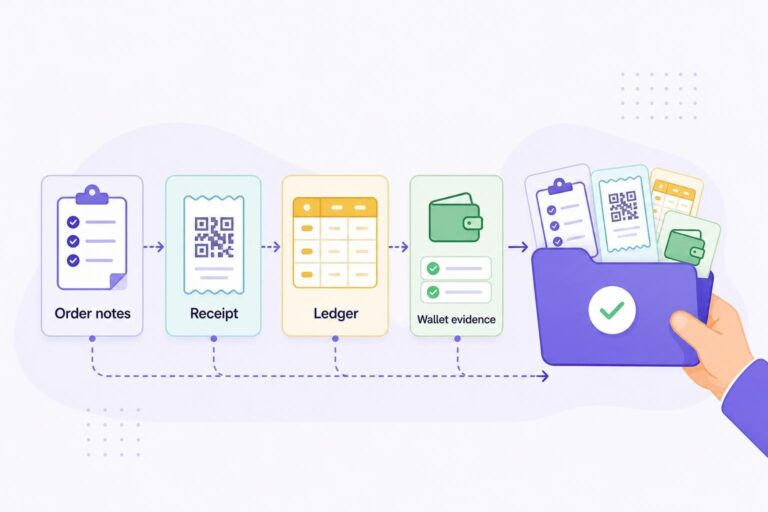
Build the record from the order outward. This prevents a common mistake: finding a wallet transfer first and forcing it to fit the nearest order.
Start With WooCommerce Order Details and Notes
Open the individual order, not only the order list. Capture the order number, date and time shown, order currency, gross order total, line items, discounts, shipping, tax, and current WooCommerce status. Keep an export or screenshot of the order notes with the review record.
Order notes matter because they may contain the event trail or transaction identifier needed to join the store record to the checkout route. WooCommerce’s troubleshooting guidance tells store operators to inspect notes for transaction IDs and reconcile the order when the store record and payment gateway record disagree. A payment gateway is the service or technical route that passes payment information between checkout systems. See the WooCommerce order troubleshooting guidance when the order state and payment evidence conflict.
A payment status answers a fulfillment question. It does not replace settlement evidence. If you need to decide whether an order is ready to fulfill before beginning this review, see the WooCommerce payment confirmation page guide.
Add Provider, Ledger, and Wallet Evidence
Next, retain the completed provider outcome where it is available to you. Depending on the route and what that provider exposes, it may include a session reference, outcome or receipt, amount, and timestamp. Providers do not necessarily present the same fields or reports.
Then add the VERIFIED crypto ledger evidence available in your installation. The public VERIFIED plugin listing describes ledger exports, transaction hashes, and block-explorer links as reconciliation tools. A transaction hash is a unique reference for a blockchain transfer. It can help you locate that transfer, but it does not explain every fee, conversion step, refund, or accounting treatment.
Finally, retain wallet-side evidence: the destination wallet address you expected to receive to, the actual asset and network shown for the transfer, the received amount, transaction hash where available, and the confirmation time shown in the record.
Keep manual-payment records on their own evidence path
The plugin listing also documents optional manual Zelle, Cash App, Venmo, and PayPal payment methods, with unique payment memos and a reconciliation queue. These orders need the same care, but their evidence path is different. Match the WooCommerce order to the unique memo and to your own bank, PayPal, Cash App, Venmo, or Zelle record. There is no on-chain transfer record for these orders, so a wallet transaction hash is neither expected nor useful evidence. Keep the memo, payment-app or bank record, order notes, and reviewer disposition together in the same per-order file.
Use one attachment set per order
Name the folder or attachment set with the WooCommerce order number. Keep the order export or screenshot, notes, provider evidence, ledger row, wallet transfer reference, refund references, and reviewer notes together.
If your team uses a spreadsheet, link each row to the source material. A copied amount without a trail behind it will not help the next reviewer.
Use a Per-Order Reconciliation Worksheet
A worksheet creates a consistent handoff between the person handling orders, the person answering a customer, and the person preparing records for an accountant. It does not tell you how to book a transaction. It tells you whether your evidence is complete and what question each field answers.
| Worksheet field | What to record | Best evidence source | What this field answers |
|---|---|---|---|
| Order identity | Order number, order date, WooCommerce status, customer-facing currency | WooCommerce order details | Which store order is under review? |
| Gross order value | Products, discounts, shipping, tax, and order total as displayed | WooCommerce order details | What did the store present as the order value? |
| Customer-paid fee, if enabled | The separately displayed fee and its amount | Order and checkout evidence | Did the customer-facing total include a distinct fee? |
| VERIFIED infrastructure fee | The 4% fee and the basis shown in the order record | VERIFIED fee evidence and configuration record | What known infrastructure fee applies to this order? |
| Provider information | Provider outcome, receipt, disclosed fee, or “not disclosed in retained evidence” | Provider result retained for that order | What did the hosted route confirm or disclose? |
| Settlement evidence | Actual asset, network, amount, destination wallet, confirmation time, transaction hash | Ledger and wallet-side evidence | What transfer can you independently connect to this order? |
| Adjustments | Refund, cancellation, partial-payment, or correction references | Order notes and related records | Did a later event change the operational picture? |
| Review record | Reviewer, review date, disposition, threshold treatment, and escalation reference | Your internal operations record | What did your team decide, and what remains unresolved? |
Copyable CSV header
order_number,order_date,order_currency,gross_order_value,customer_paid_fee,verified_infrastructure_fee,provider_outcome,provider_fee_disclosed,settlement_asset,settlement_network,settlement_amount,destination_wallet,transaction_hash,confirmation_time,adjustment_reference,reviewer,disposition,variance_note,escalation_reference
Add links to the underlying files in the system your team already uses. The header is a starting point for an operations register, not a prescribed accounting chart of accounts.
For current ledger fields, exports, and configuration details in your installed version, use the VERIFIED documentation hub alongside the worksheet. Screens and available fields can change, so this guide should not be treated as a fixed menu map.
Payment reporting commonly separates gross transaction amount, fees, net transaction amount, settlement currency, and settlement amount. For example, PayPal’s balance reconciliation report documentation presents those as separate report fields. That does not make another company’s report your route’s terms. It does show the right discipline: give each figure its own field and preserve its source.
Record Gross Value and Each Disclosed Fee Layer
Hypothetical example: WooCommerce order #1842 has a gross order value of $120.00. The order record shows a VERIFIED infrastructure fee of $4.80, which is 4% of $120.00. The provider outcome does not disclose a separate fee, so the worksheet says “not disclosed in retained evidence.”
Assume the confirmed wallet evidence for this example shows 115.00 USDC on its recorded network. For this operational comparison, subtract the known $4.80 infrastructure fee from $120.00: $120.00 − $4.80 = $115.20. Compared with the confirmed 115.00 USDC amount, that leaves a 0.20 USDC unexplained residual.
Do not label that 0.20 USDC residual a provider fee without evidence that says it is one. Record the $120.00 gross value, $4.80 infrastructure fee, confirmed 115.00 USDC settlement amount, and 0.20 USDC unexplained residual. If it falls below your written threshold, log it with this evidence for the periodic batch review. If it meets or exceeds the threshold, escalate this order immediately. This illustration is an operations comparison, not a statement about asset valuation or accounting treatment.
The VERIFIED fee transparency guide explains the separation between the 4% infrastructure fee and independently controlled provider costs. Keep that fee-model question separate from the evidence question for an individual order.
Record the Actual Asset, Network, Amount, and Transaction Reference
Do not prefill the settlement asset or network from an old setup note. Current product documentation specifies USDC settlement on Polygon. Some live hosted-flow materials describe additional payout assets. That is a scope contradiction to resolve from your confirmed order evidence and current documentation, not by assumption.
For every completed order, record what the evidence actually shows: asset, network, amount, destination wallet, transaction hash or other transfer reference, and confirmation time. USDC on Polygon may be the documented expected case, but it is not a substitute for confirming the individual order.
Record the settlement you can confirm, not the settlement you expected to see.
Investigate a Difference Before Changing an Order
A variance is a question, not a diagnosis. Do not edit the WooCommerce order total, overwrite a note, or mark a payment complete simply because you expect the numbers to reconcile later. Those actions can remove the trail needed to understand the issue.
Check Whether the Difference Is Explained by the Route
Review these items in order:
- Confirm that you have the correct WooCommerce order and payment-session evidence.
- Confirm whether a customer-paid fee was enabled and separately shown.
- Confirm the 4% VERIFIED infrastructure fee from the applicable fee evidence.
- Check whether the provider outcome disclosed a separate cost or conversion detail.
- Compare the actual settlement asset, network, amount, wallet address, and transaction reference with your worksheet.
- Check for a refund, partial refund, cancellation, duplicate order, or other adjustment reference.
A route can create a legitimate difference between a customer-facing order amount and a received settlement amount. Possible explanations include separately charged provider costs where disclosed, network costs, a customer-paid fee configuration, conversion or settlement differences, or an unresolved payment state. These are investigation categories, not universal explanations for every provider or order.
The failure case is straightforward: a transaction hash can point to a real transfer that has nothing to do with the order you are reviewing. Do not use a hash to prove a match if the destination address, network, or amount does not correspond with the order evidence. A hash confirms a particular transfer record. It does not repair a broken evidence chain.
Hold and Escalate an Unexplained Variance
Hold the reconciliation record open when the order is completed but you cannot locate settlement evidence, when the transfer cannot be tied to the expected wallet, or when the difference has no documented explanation. Give it a clear disposition, such as “open—settlement evidence requested,” rather than “error.” That tells the next reviewer what is missing without deciding the cause too early.
A plugin-held order and an operator-held reconciliation record are different things. The VERIFIED plugin listing describes holding an order when on-chain proof or the expected value cannot be verified. It also describes missed-webhook on-chain checks for pending or recently cancelled orders. A held order can therefore be a reconciliation signal generated by the plugin, rather than proof that your store has made an error.
Escalate with the smallest useful packet: order number, WooCommerce notes, completed provider outcome if available, ledger row, wallet transfer reference, screenshots or exports, and a short description of the variance. For incomplete or contradictory product evidence, open a VERIFIED support ticket with those references rather than sending only an order total.
An unexplained variance needs a named owner, evidence, and a documented next review point.
Close the Record Without Giving Accounting Advice
Once the evidence connects, record the reviewer, review date, disposition, and links to the source records. “Matched,” “matched with documented variance,” and “open—escalated” are useful outcomes. They tell the next person what happened without deciding tax, revenue recognition, asset valuation, or expense treatment.
Keep the Record Useful for Refunds and Support
Keep the original reconciliation record with any later refund, adjustment, or customer-support reference. In practical terms, a WooCommerce refund action is not evidence that a settled on-chain transfer was reversed. Treat any refund or outbound adjustment as its own record, linked back to the original order and settlement evidence.
This matters when someone asks why a wallet receipt does not mirror the original customer-facing total. Your team can follow the evidence sequence instead of rebuilding the story from memory. For payment requests outside the normal cart flow, apply the same worksheet to the invoice, order payment request, or WooCommerce payment link.
Ask an Accountant How to Classify the Records
Your worksheet is an evidence file. It is not tax advice, accounting advice, or a substitute for your accountant’s review. Ask your accountant how your business should classify order revenue, customer-paid fees, the VERIFIED infrastructure fee, disclosed provider costs, received digital assets, conversion differences, refunds, and reporting dates.
Bring the worksheet and source records, not just a net number. That gives your accountant the facts needed to advise you without asking your operations team to recreate an order months later.
Check your ledger fields or install the plugin for your first review
If you already run VERIFIED, use the documentation hub to confirm the ledger and export fields available in your current version. If you are evaluating it, install the WooCommerce plugin and use a completed order as the basis for your own reconciliation worksheet.
About VERIFIED Crypto Checkout
VERIFIED Crypto Checkout is payment infrastructure software for WooCommerce. It routes customers to independent hosted providers for card-to-crypto checkout. Those providers perform their own KYC, meaning identity and liveness checks used to verify a customer, along with card processing, conversion, and settlement directly to the merchant wallet.
VERIFIED does not handle card data, provide custody of funds, operate as a bank, or act as a payment processor. Learn more about VERIFIED Crypto Checkout, read the product explainer, or contact the team through the contact page.
Further Reading
- WooCommerce: Troubleshooting orders
- PayPal Developer: Balance reconciliation report
- WordPress.org: VERIFIED Crypto Checkout plugin listing
Frequently Asked Questions
What should I do if a provider receipt does not disclose its fee?
Record the provider outcome and write “not disclosed in retained evidence” in the provider-fee field. Do not estimate a fee or use an unexplained residual as proof of one. Preserve the receipt, order evidence, and settlement evidence for your accountant or support review.
Can a blockchain transaction hash serve as the only reconciliation record?
No. A transaction hash can identify a specific blockchain transfer, but it does not identify the WooCommerce order, prove the customer-facing amount, or explain a fee or refund. Retain the order, payment outcome where available, wallet evidence, and review disposition together.
What is the right record for a Zelle, Cash App, Venmo, or PayPal manual payment?
Use the unique payment memo, the WooCommerce order, and your own bank or payment-app record. Manual payment orders do not have an on-chain transfer record, so they should not be reconciled against a wallet hash.
About the Author: Brad Ungar
