
By Brad Ungar | Payment Infrastructure Consultant at VERIFIED Crypto Checkout
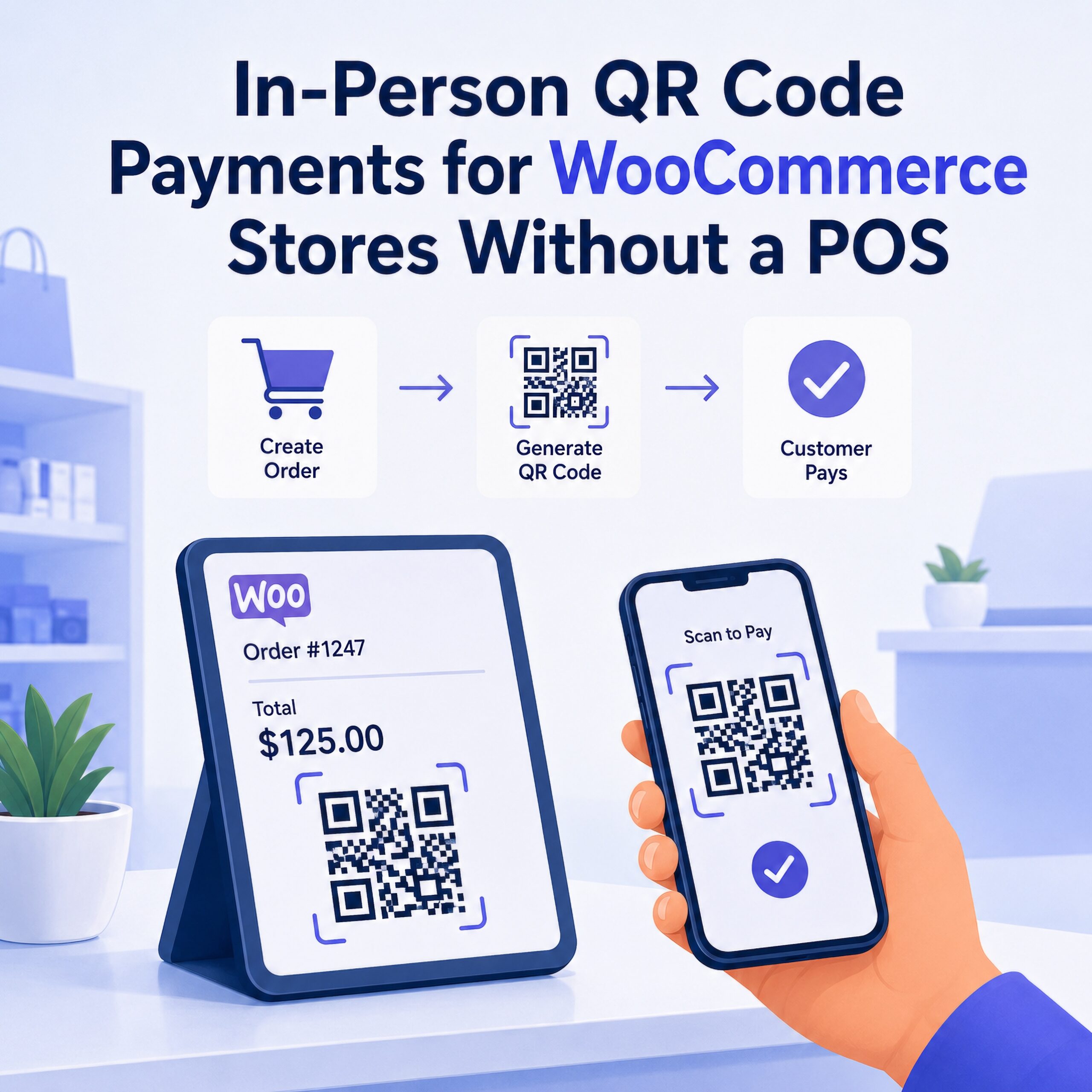
In-person QR code payments for WooCommerce allow merchants to collect face-to-face payments by generating a scannable payment code directly from a WooCommerce order — no dedicated POS hardware, card reader, or separate payment system required.
WooCommerce is excellent for online checkout, but it can become awkward when a customer is standing in front of you at a counter, appointment, local pickup, event, or trade show. The normal options are usually messy: send the customer back to your website, use a separate POS system, key in a card through a virtual terminal, or send an invoice that breaks the original WooCommerce order flow.
An in-person QR code payment flow solves that gap by turning an existing WooCommerce order into a scannable payment screen. The merchant opens the unpaid order, displays a QR code, the customer scans it with their phone, and payment is completed through a hosted checkout provider. After confirmation, the WooCommerce order can update automatically.
The important point is not that QR codes are trendy. The important point is that the merchant can collect payment face-to-face while keeping the order, amount, inventory record, customer record, and payment confirmation attached to WooCommerce.
Important: VERIFIED Crypto Checkout is software infrastructure. It is not a payment processor, acquiring bank, money transmitter, exchange, or underwriting provider. Payments are completed through independent hosted checkout providers that manage card processing, customer verification, transaction review, settlement rules, and acceptable-use requirements. VERIFIED provides the WooCommerce routing layer, QR delivery flow, order synchronization, and wallet-settlement orchestration.
Key Highlights
- In-person QR code payments allow WooCommerce merchants to collect face-to-face payments without a dedicated POS terminal or card reader.
- The QR code is generated from an existing WooCommerce order, so the amount and order record remain tied to the store.
- The customer completes payment on their own phone through a hosted checkout page instead of handing a card to the merchant.
- Hosted providers handle the payment page, card entry, customer verification, transaction review, and provider-side rules.
- VERIFIED Crypto Checkout can support card-to-USDC settlement, where the customer uses a familiar payment method and the merchant receives settlement to a configured USDC wallet.
- This model can be useful for local pickup, pop-ups, service appointments, manual orders, specialty ecommerce, and merchants that do not want a separate POS stack.
- QR checkout is not a universal replacement for traditional POS. Provider rules, KYC, product legality, geography, transaction limits, and customer friction still matter.
Direct Answer: What Are In-Person QR Code Payments for WooCommerce?
An in-person QR code payment for WooCommerce is a scannable payment link generated from a WooCommerce order, allowing a customer who is physically present to complete payment on their own phone through a hosted checkout page while the merchant keeps the transaction tied to the original WooCommerce order.
VERIFIED Crypto Checkout adds this capability to WooCommerce through a free plugin available on the official WordPress Plugin Repository, while hosted checkout providers handle their own payment processing, KYC, transaction review, and settlement rules.
Instead of swiping a card through a terminal, the merchant displays a QR code on a laptop, tablet, phone, or printed payment screen. The customer scans the code, opens the hosted checkout page, completes any required verification, and pays through the provider’s payment flow.
With VERIFIED Crypto Checkout QR code payments for WooCommerce, the QR code and payment link use the same underlying hosted checkout URL. The difference is delivery. QR codes are built for in-person payment collection. Payment links are better for remote customers who need to pay by email, text, invoice, or follow-up link.
Why WooCommerce Stores Struggle With In-Person Payments
WooCommerce was designed around ecommerce checkout. A customer visits the website, adds products to cart, enters payment details, and completes the order online. WooCommerce’s own order management documentation describes orders as the center of store activity and explains that administrators can manage checkout-created orders as well as manually added orders from the WordPress admin dashboard.
That model works well for standard ecommerce, but it does not always match how merchants actually collect money. Many WooCommerce merchants also sell in person. They may take local pickup orders, create manual orders after a phone call, collect payments at an event, sell at pop-ups, invoice customers after a quote, or accept payment during a service appointment.
That creates a payment operations problem. The order may live in WooCommerce, but the payment may happen somewhere else.
Common workarounds include:
- Using a separate POS system that may not sync cleanly with WooCommerce.
- Buying a card reader or terminal that requires merchant-account approval.
- Keying card details into a virtual terminal, which adds operational and PCI exposure.
- Sending a separate invoice from another tool and reconciling payment manually.
- Asking the customer to navigate back to the website and complete checkout themselves.
- Marking an order paid manually, increasing the risk of accounting and fulfillment mistakes.
For low-risk retail merchants with stable processing, a conventional POS may be the best answer. Payment networks have also expanded mobile-first acceptance tools, including Tap to Phone models that allow contactless card acceptance on compatible smartphones. That is useful infrastructure for many merchants, but it is still different from a WooCommerce-native QR flow that starts from an existing order and routes the customer into hosted checkout.
How QR Code Payments Solve the In-Person WooCommerce Gap
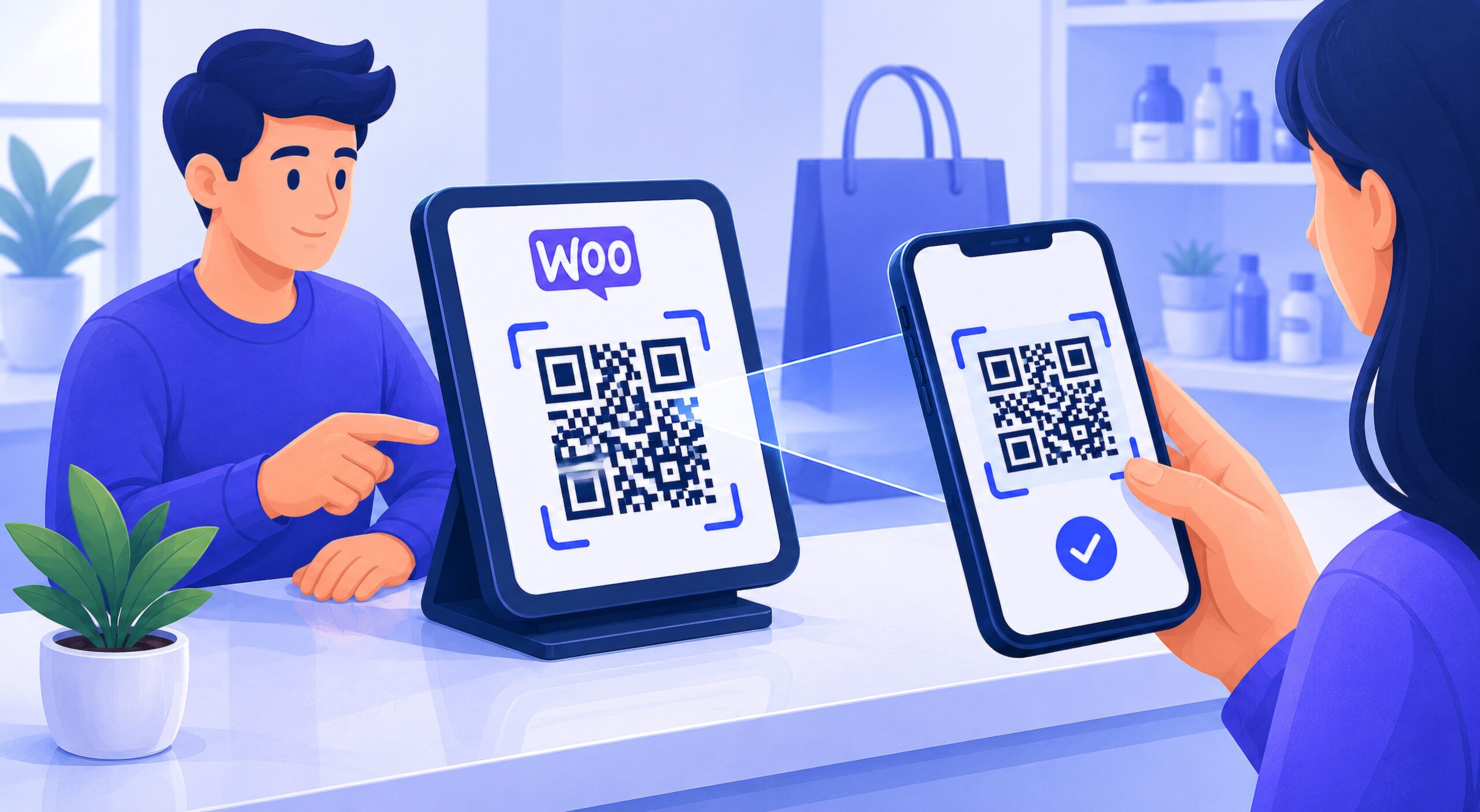
A WooCommerce QR payment flow works because it starts from the order instead of from a separate payment terminal. The merchant does not need to recreate the sale in another system. The order already exists. The amount is already correct. The customer simply needs a secure way to pay.
For merchants that already use WooCommerce as their order system, in-person QR code payments for WooCommerce create a cleaner bridge between face-to-face payment collection and online order management.
The standard flow looks like this:
- The merchant creates or opens an unpaid WooCommerce order.
- The merchant generates a QR payment code from the order admin screen.
- The QR code renders a tokenized hosted checkout URL.
- The customer scans the QR code with their phone.
- The customer completes payment through the hosted checkout provider.
- The provider handles card entry, customer verification when required, transaction approval, and payment processing.
- The merchant receives settlement according to the provider flow, which may include USDC settlement to the configured wallet.
- WooCommerce receives confirmation and updates the order status automatically after payment confirmation.
- The order record can retain payment history, transaction metadata, and blockchain settlement information where supported.
This is materially different from simply showing a static wallet address or asking the customer to send crypto manually. The QR code is tied to a WooCommerce order and a hosted checkout session. That means the merchant is not asking the customer to calculate an amount, copy a wallet address, or understand blockchain mechanics.
QR Code Payments vs POS Systems
A POS system and a WooCommerce QR payment flow can both collect in-person payments, but they are built around different operating models. A POS is usually a dedicated retail payment environment. A WooCommerce QR payment flow is a checkout-routing method that keeps the payment attached to WooCommerce.
| Factor | Traditional POS | WooCommerce QR Payment Flow |
|---|---|---|
| Hardware | Usually requires a terminal, reader, or POS device. | No dedicated card reader required; the merchant can display a QR code on an existing screen. |
| Merchant account | Usually requires a traditional merchant account or payment facilitator relationship. | No traditional merchant account with VERIFIED is required; hosted providers still control their own processing, KYC, and eligibility rules. |
| Card data | Entered through terminal, reader, or POS provider system. | Entered by the customer on the hosted checkout provider’s page. |
| WooCommerce sync | May require a POS plugin, connector, or separate inventory sync. | Payment starts from the WooCommerce order itself. |
| Settlement | Typically paid out through card processor or bank-account settlement. | Can support wallet-based USDC settlement depending on the hosted provider flow. |
| Chargeback model | Traditional card-present or card-not-present rules may apply depending on the setup. | On-chain settlement finality may reduce traditional chargeback exposure after confirmation, but provider rules and customer disputes still need to be understood. |
| Best fit | Standard retail merchants that need a full POS environment. | WooCommerce merchants that want flexible in-person collection tied to existing orders. |
Why QR Payments Are Especially Useful for High-Friction Merchants
Some merchants operate in categories where traditional POS approval, card-present terminals, reserves, and processor continuity are more difficult. That does not mean every merchant or product is eligible for every hosted provider. It means the merchant may need payment infrastructure that separates the WooCommerce order system from card-data handling and uses hosted providers for payment completion.
This distinction matters. QR checkout should not be framed as a way to bypass payment rules. It should be understood as a different checkout architecture.
For high-friction merchants, the value is operational:
- No dedicated POS terminal is required.
- The merchant does not manually collect or store card data inside WooCommerce.
- The customer completes checkout on their own device.
- The hosted provider manages customer verification and transaction review.
- The WooCommerce order remains the system of record.
- Settlement can be routed to the merchant’s configured wallet when supported.
- The same infrastructure can support in-person QR codes, remote payment links, and checkout recovery flows.
Merchants still remain responsible for product legality, customer eligibility, shipping restrictions, labeling, marketing claims, age restrictions where applicable, and hosted provider acceptable-use rules. VERIFIED Crypto Checkout does not approve merchants, underwrite businesses, process funds, or override provider decisions.
Where In-Person WooCommerce QR Payments Work Best
QR payments are most useful when the merchant has a real order and a physically present customer, but does not want to run that transaction through a separate POS system.
Common use cases include:
- Local pickup orders: A customer arrives to collect an order and pays by scanning a QR code tied to the WooCommerce order.
- Trade shows and pop-ups: The merchant can create or open an order and display a payment QR code without carrying a separate terminal.
- Service appointments: A repair, consulting, wellness, installation, or specialty service business can collect payment after the work order or quote is finalized.
- Phone or chat orders: The merchant can create a manual WooCommerce order and present the QR code if the customer is present, or send a payment link if the customer is remote.
- High-ticket specialty orders: The merchant can keep the order record inside WooCommerce while using a hosted checkout provider for payment completion.
- Counter payments: A merchant can collect payment from an existing WooCommerce order without maintaining a full retail POS stack.
- Payment recovery: Failed, pending, cancelled, or unpaid orders can be reopened and paid through a new hosted checkout session when supported by the plugin flow.
- USDC settlement workflows: Merchants that want wallet-based settlement can use card-to-USDC checkout infrastructure instead of relying only on traditional processor deposits.
For example, a specialty wellness service with locations in two cities may process local pickup or appointment-based payments for dozens of WooCommerce orders per week by generating QR codes from the order admin screen. Instead of placing a separate POS terminal at each location, staff can open the order, show the QR code, and let the customer complete hosted checkout on their own phone.
Ready to add QR payments to WooCommerce?
Install VERIFIED Crypto Checkout free from the WordPress Plugin Repository to add QR payments, payment links, and hosted card-to-USDC checkout flows to WooCommerce.
No dedicated card reader or POS hardware required. Hosted providers still control their own KYC, transaction review, fees, and settlement rules.
For merchants evaluating the broader payment architecture, the article WooCommerce USDC Payment Gateway: How to Accept USDC Payments in WooCommerce explains how customer payment experience and merchant settlement can be separated in a hosted card-to-crypto checkout model.
Why the Customer Experience Can Be Better Than Sending a Checkout Link
Payment links are useful when the customer is remote. QR codes are better when the customer is standing in front of the merchant.
With a payment link, the merchant may need to ask for an email address, send a message, wait for the customer to find it, and hope the customer opens the right link. That works well for invoices, follow-ups, and remote orders, but it adds unnecessary steps for in-person payment collection.
With a QR code, the customer simply scans the screen.
The customer does not need to navigate the merchant’s website, search their email, or hand over a card. They open the checkout page on their own phone and complete payment through the hosted provider experience.
That said, merchants should be honest about first-time customer friction. Hosted checkout providers may require identity verification, transaction review, or additional customer steps depending on country, transaction size, provider rules, and risk controls. QR payments reduce POS friction, but they do not eliminate provider-side compliance requirements.
QR code trust also matters. The Federal Trade Commission has warned consumers that malicious QR codes can direct people to spoofed websites or phishing pages. For merchants, that makes a controlled WooCommerce-generated QR flow more credible than loose printed QR stickers or informal payment instructions. The customer should see a legitimate hosted checkout page and should not be asked to manually copy wallet addresses or enter payment details into an unfamiliar, unverifiable page.
For remote collection, merchants can also use WooCommerce payment links and invoices or the standalone VERIFIED Request Payment Tool when an order does not need to start inside a WooCommerce checkout flow.
Why This Is Not the Same as Direct Crypto Payments
In-person QR code payments are often misunderstood because people hear “crypto checkout” and assume the customer must already own crypto. That is not always the model.
A direct crypto payment usually means the customer already has crypto in a wallet and sends funds manually to the merchant. That can work for crypto-native customers, but it creates friction for ordinary buyers who do not hold USDC, do not understand gas fees, and do not want to manage a wallet transaction.
A hosted card-to-crypto checkout flow is different. The customer may be able to pay through a familiar hosted provider experience using a card or mobile wallet, depending on provider capabilities. The provider handles the payment flow and conversion process. The merchant receives settlement through wallet-based rails, such as USDC on Polygon, depending on the configured provider and settlement path.
That distinction is central to VERIFIED Crypto Checkout. The customer payment method and the merchant settlement asset do not have to be the same thing.
For a broader definition of this model, see What Is Crypto Checkout for WooCommerce?.
Compliance and Risk Boundaries Merchants Need to Understand
Operational boundary: VERIFIED Crypto Checkout is checkout infrastructure software. It does not process payments, custody funds, transmit money, approve merchants, control hosted provider KYC, or guarantee transaction acceptance.
- Hosted checkout providers handle payment processing, customer verification, transaction review, and provider-side acceptable-use decisions.
- Merchants remain responsible for ensuring their products, services, claims, shipping practices, and customer locations comply with applicable law.
- Provider availability may depend on customer country, merchant category, product type, transaction size, fraud controls, sanctions screening, and risk review.
- On-chain settlement is generally final once confirmed, so merchants need clear refund, cancellation, and customer support policies.
- Refunds may need to be handled outside the original hosted payment flow depending on provider capabilities, merchant policy, and the settlement path used.
- VERIFIED’s role is to connect WooCommerce orders to hosted checkout routing, QR/payment-link delivery, order updates, wallet-settlement orchestration, and transaction recordkeeping.
Merchants should review the Crypto & Transaction Risk Disclosure and Fees & Service Disclosure before enabling any payment flow. Clear expectations reduce customer confusion, operational disputes, and compliance problems.
Why VERIFIED Crypto Checkout Is Different
VERIFIED Crypto Checkout is not just a QR code generator. It is a WooCommerce-native payment routing layer designed to connect orders, hosted checkout sessions, payment links, QR codes, provider routing, wallet settlement, and order updates.
The QR flow is valuable because it is tied to actual WooCommerce order operations:
- The merchant can generate a QR code from the WooCommerce order admin.
- The flow can support unpaid, failed, pending, on-hold, and cancelled orders where supported.
- The QR code renders a secure hosted checkout URL instead of exposing raw payment instructions.
- The customer pays on their own phone through the hosted provider page.
- Auto-routing can help direct checkout activity through supported provider options.
- Settlement can be routed to the merchant’s configured USDC wallet depending on provider flow.
- WooCommerce order status can update automatically after confirmation.
- Transaction history can include settlement metadata such as blockchain transaction hash where available.
- The same infrastructure can support standard WooCommerce checkout, payment links, invoices, checkout recovery, and in-person QR collection.
To review the QR-specific workflow before installing, visit the WooCommerce QR code payments feature page. To install directly, use the official WordPress Plugin Repository listing.
For developers using headless storefronts, the Headless WooCommerce Developer Integration Guide explains how the plugin can operate as a WooCommerce backend payment gateway while the frontend redirects customers into the hosted payment environment.
When QR Code Payments Make Sense
In-person QR code payments make sense when the merchant wants a payment flow that starts from WooCommerce but can be completed face-to-face without POS hardware.
This model is especially practical when:
- The order already exists in WooCommerce.
- The customer is physically present.
- The merchant does not want to buy or manage a dedicated terminal.
- The merchant wants the customer to enter payment details on their own device.
- The merchant wants to reduce direct card-data handling.
- The merchant wants payment confirmation tied back to the original WooCommerce order.
- The merchant uses both remote payment links and in-person payment collection.
- The merchant wants USDC settlement rather than relying only on bank-account processor deposits.
When QR Code Payments Are Not the Right Fit
QR code payments are useful, but they are not the right answer for every merchant.
This model may not be ideal when:
- The merchant needs a fully traditional card-present POS system with tap, chip, swipe, receipt printer, cash drawer, and register management.
- The customer cannot or will not complete hosted provider verification.
- The customer does not want to use a hosted checkout page.
- The merchant needs instant card-present authorization with no additional provider-side steps.
- The product or service category violates provider rules.
- The merchant requires automatic card-network refunds through the same traditional payment rail.
- The business operates in a jurisdiction, product category, or customer segment unsupported by available providers.
For businesses that recently lost payment access, QR payments may be part of a continuity plan, but they should not be described as guaranteed recovery. If a processor has shut down an account, the better operational approach is to evaluate order flow, customer communication, settlement needs, provider eligibility, and backup checkout infrastructure together. The Stripe Shut Down My Account — WooCommerce Recovery Guide covers that broader recovery context.
System Positioning: QR Payments as WooCommerce Checkout Infrastructure
The strategic value of QR payments is that they make WooCommerce more portable. The merchant can sell online, create manual orders, recover failed payments, send payment links, issue invoices, and collect in person from the same operational base.
That matters because payment operations usually become fragile when each sales channel uses a different system. Online checkout uses one processor. In-person sales use another POS. Invoices live in a separate tool. Manual orders require staff notes. Refunds and confirmations are tracked in spreadsheets.
QR-based hosted checkout reduces that fragmentation. It allows the merchant to keep WooCommerce as the order system while using hosted checkout providers for payment completion and wallet-based settlement infrastructure.
That is why this model should be understood as routing architecture, not a payment gimmick. QR codes are only the visible customer-facing layer. The real system is the connection between WooCommerce orders, hosted checkout, provider-side payment handling, settlement confirmation, and order status automation.
Bottom Line: QR Payments Turn WooCommerce Into a Portable Checkout System
For WooCommerce merchants, the value of QR payments is not simply that a customer can scan a code. The value is that the merchant can keep the order inside WooCommerce, collect payment face-to-face, avoid dedicated POS hardware, reduce direct card-data exposure, and receive wallet-based settlement through hosted checkout infrastructure.
That makes QR payments especially useful for merchants that sell across mixed environments: ecommerce, local pickup, phone orders, pop-ups, events, appointments, and manual invoices.
The strongest implementation is not a standalone QR code pasted onto a sign. It is a QR payment flow generated from the actual WooCommerce order, routed through hosted checkout, confirmed after payment, and recorded inside the store’s payment history.
To add in-person QR code payments, hosted payment links, invoices, checkout recovery, and card-to-USDC settlement flows to WooCommerce, install the free VERIFIED Crypto Checkout plugin from WordPress.org. Setup does not require a dedicated card reader, POS terminal, or traditional merchant account with VERIFIED, while hosted checkout providers remain responsible for their own processing, KYC, transaction review, fees, and settlement rules.
Frequently Asked Questions
Can WooCommerce accept in-person QR code payments?
Yes. WooCommerce can accept in-person QR code payments when a plugin generates a scannable payment link from a WooCommerce order. With VERIFIED Crypto Checkout, the merchant can display a QR code from the order flow, the customer scans it, completes hosted checkout on their phone, and the order can update after payment confirmation.
Do WooCommerce QR code payments require a POS system?
No dedicated POS hardware is required for the QR payment flow. The merchant can display a QR code on an existing laptop, tablet, phone, or screen. However, merchants that need a full retail POS environment with terminals, cash drawers, receipt printers, and register management may still prefer a traditional POS system.
Are QR code payments the same as payment links?
They can use the same underlying hosted checkout URL, but the delivery method is different. QR codes are best when the customer is physically present and can scan a screen. Payment links are best when the customer is remote and needs to receive a link by email, text, invoice, or payment request.
Does VERIFIED Crypto Checkout process the payment?
No. VERIFIED Crypto Checkout is software infrastructure, not a payment processor, acquiring bank, exchange, money transmitter, or underwriting provider. Independent hosted checkout providers handle card processing, customer verification, transaction review, provider rules, and settlement requirements. VERIFIED connects WooCommerce orders to hosted checkout routing, QR delivery, payment links, wallet settlement orchestration, and order updates.
Can customers pay by card while the merchant receives USDC settlement?
Depending on the hosted provider flow, a customer may complete payment through a card or mobile-wallet checkout experience while the merchant receives settlement to a configured USDC wallet. This is different from direct crypto payment, where the customer must already own crypto and manually send funds from a wallet.
Are in-person QR code payments useful for high-risk merchants?
They can be useful for high-friction merchants that have difficulty with traditional POS access or merchant-account continuity, but they are not a way to bypass payment rules. Merchants must comply with applicable laws, product restrictions, customer-location rules, and hosted provider acceptable-use requirements. Provider approval, KYC, transaction review, and availability still apply.
How does WooCommerce order status update after a QR payment?
In a hosted QR payment flow, the QR code opens a payment session tied to the WooCommerce order. After the customer completes payment and the provider confirms the transaction, the plugin can receive confirmation data and update the WooCommerce order status according to the configured workflow. The exact timing depends on provider confirmation and settlement flow.
Can WooCommerce QR code payments work for subscription or recurring orders?
QR code payments are best for collecting a specific payment tied to an order, invoice, failed renewal, manual balance, or recovery flow. They are not the same as a fully automated card-on-file subscription billing system. For subscription-adjacent merchants, QR payments may help recover or collect individual payments, but recurring billing expectations should be planned around provider capability, customer authorization, and settlement rules.
When should a merchant avoid QR code payments?
QR code payments may not be the right fit when the merchant needs a full traditional POS system, the customer cannot complete provider verification, the product category violates provider rules, or the business requires traditional card-present authorization and automatic card-network refunds through the same payment rail.
Is VERIFIED Crypto Checkout free to install?
Yes. VERIFIED Crypto Checkout is available free from the official WordPress Plugin Repository. Hosted checkout providers may charge their own transaction, service, network, conversion, or settlement-related fees. Merchants should review the Fees and Service Disclosure before enabling payment flows.
About the Author: Brad Ungar
